
.png)
A deep understanding of the problem was the first step of this project.
I found several pain points while I was interacting with VSC. As first time user, VSC UI was not friendly
for beginner and its user experience was not straightforward to immediately know how to use the program.
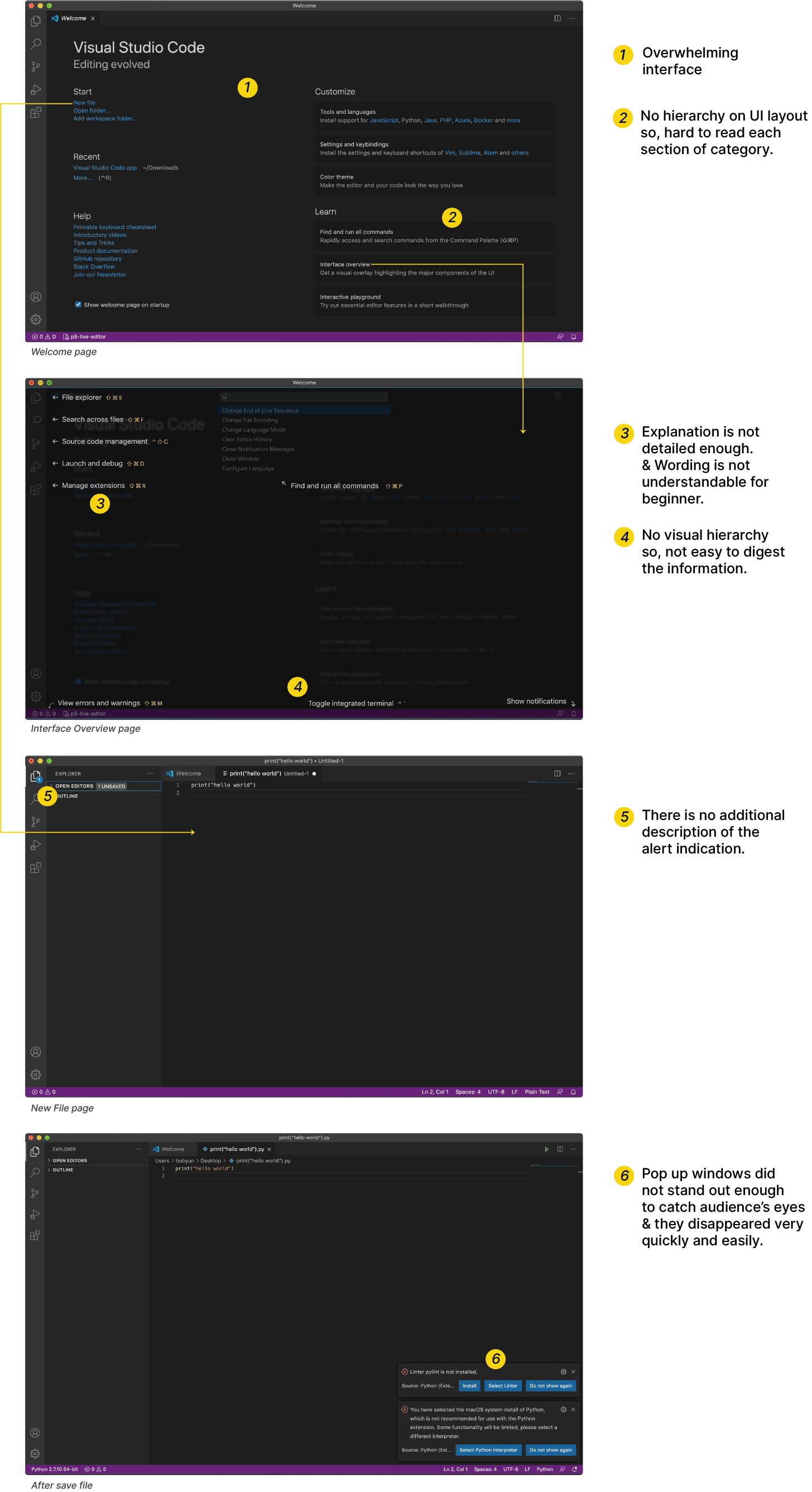
Understanding of our target user.
.png)
Creating a map to discover user's pain points at each step of the process.

Our team went through three research process: 1) Competitive Analysis 2) Survey 3) Participatory Interview.
Before proceeding with profound research and design process, we analyzed the competitors of VSC. While there are many code editors and IDEs, each of them has diverse features and purposes of usage based on targeting customers. For example, PyCharm only offers Python language and p5.js is optimized for visual projects. And only few of them offer follow-able and informative tutorials to learn how to use them for beginners. With these details in mind, we set out participatory interview and survey questions to found out first time user’s experience on VSC.

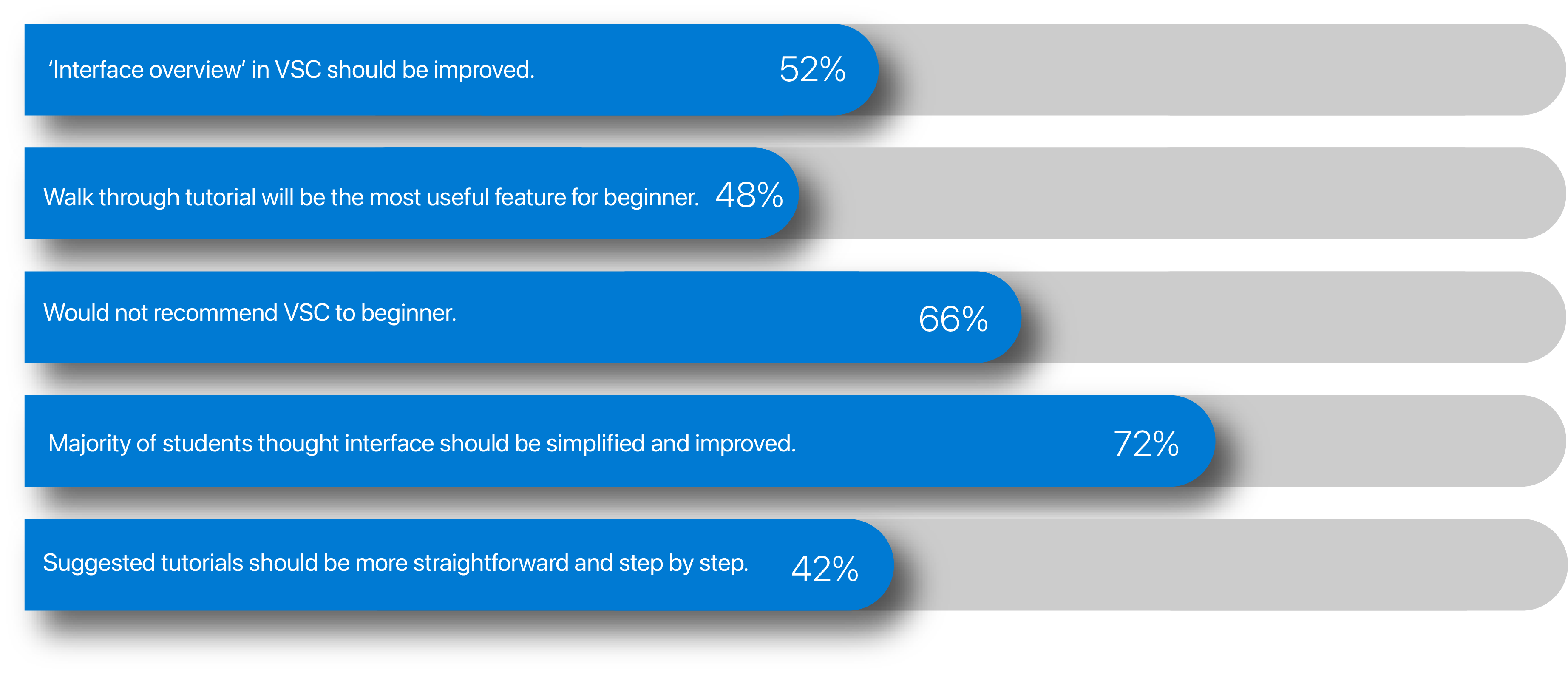
We obtained over 122 survey responses from computer science and information technology students and analyzed the results to find out targeting audiences’ general opinions and pain points while utilizing VSC.
We had participatory interviews with 5 participants. We gave them 4 tasks to observe their first interactions with the VSC. 4 out of 5 students couldn’t successfully finish the tasks.

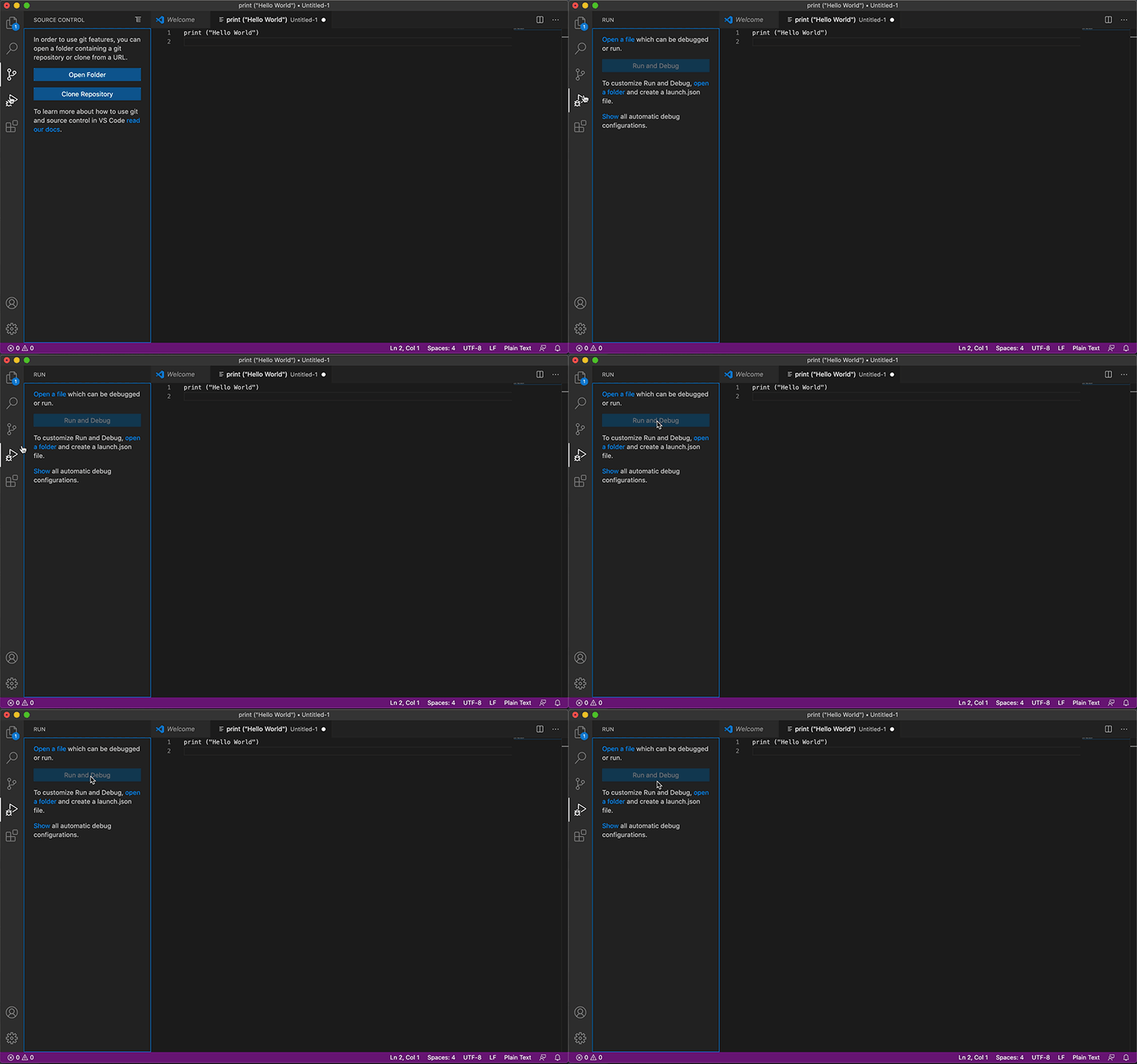
The participants had trouble at step 4. They attempted several times to complete it but failed, because there were no clear tutorials to support them while they were trying to accomplish the task with VSC. From this activity, majority of participants felt very frustrated and make them to be afraid of learning code with the program. Throughout the interviews, we discovered that root causes of the problem is informative tutorials are not provided for first time users. Thus, we determined to create an on-boarding tutorial for providing a self-explanatory user experience to first time coder.
Provide a new service to improve users' pain points.
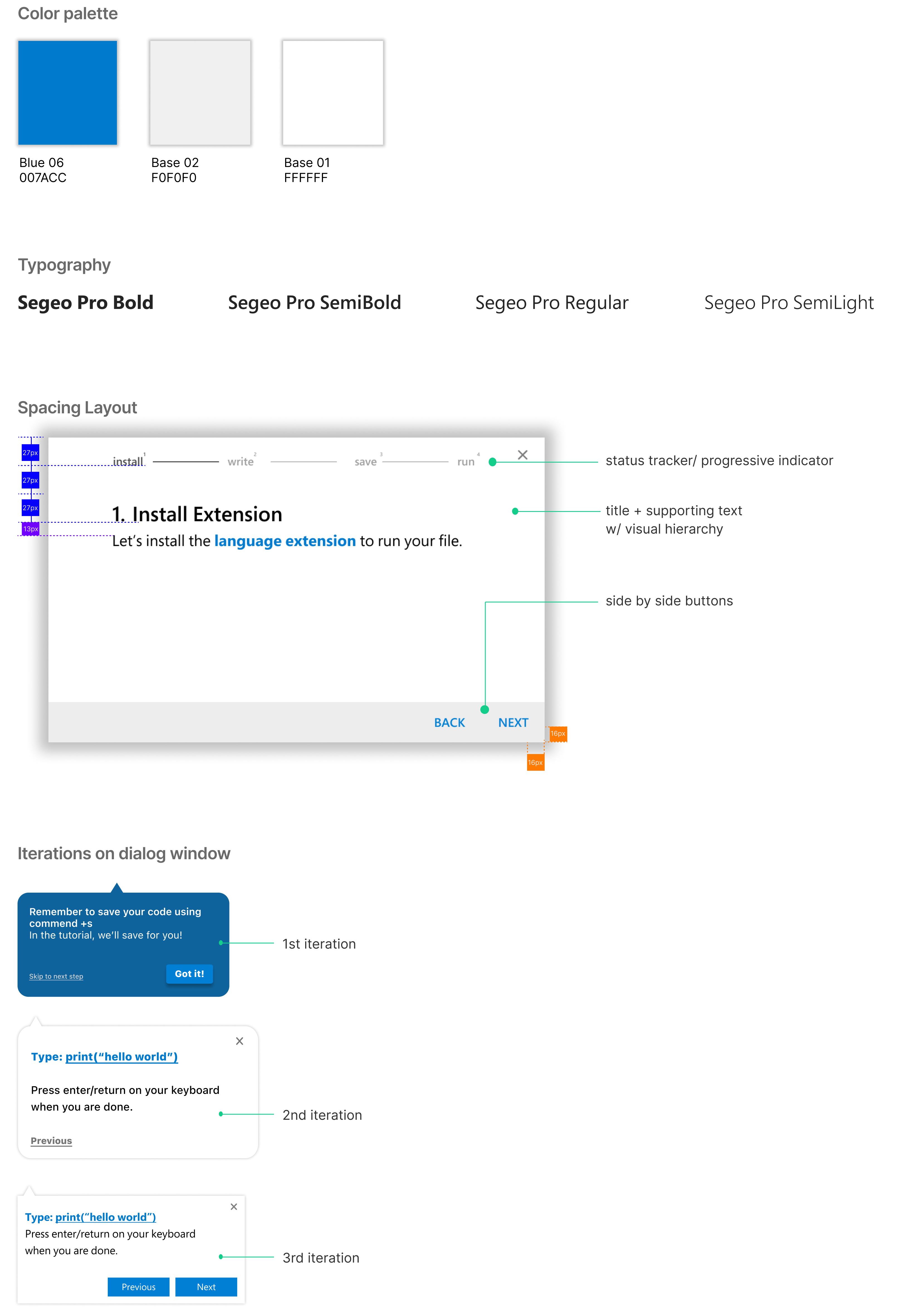
Visual Studio Code has a default brand color palette and font, and we followed as it is to create a cohesive tutorial from existing VSC environment.
Before diving into a wire-framing, we created a user flow with draft of scripts in order to understand the overall system we designed for.
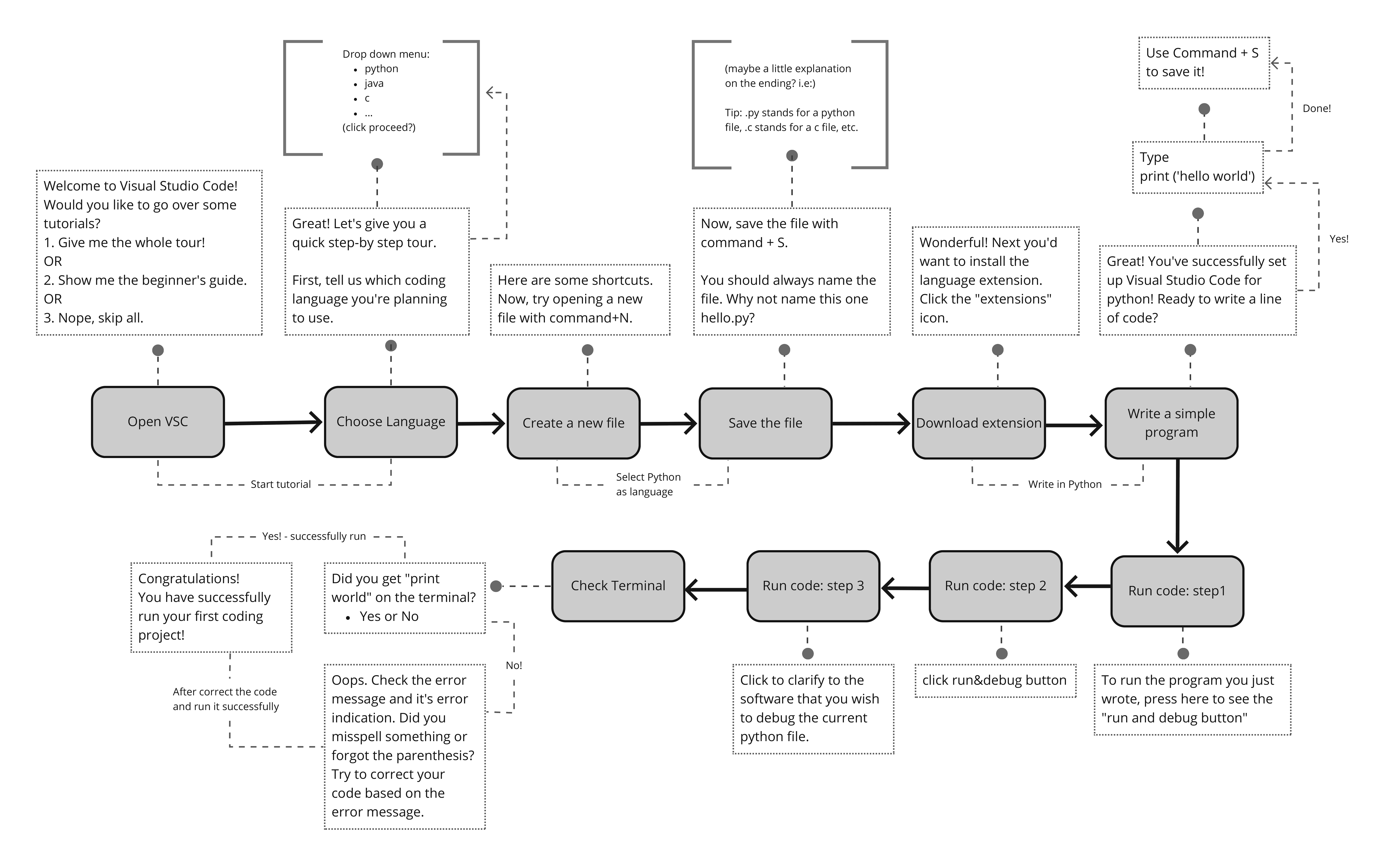
We decide to create a participatory on-boarding tutorial for first time users. Throughout the tutorial, they will learn how to write a simple line of code in VSC with step by step instruction, and be familiar with major features and environment of VSC. This experience will be trigger to users to explore the program further more quickly and efficiently.
Based on the research analysis, we decide to educate the most essential steps that the first time users should know to run the code. It will be 4 steps: 1) install extension, 2) write code, 3) save file and 4) run & check
.png)
To offer an immersive on-boarding experience, users will click and write with the actual features to learn the aspects of the programs from VSC environment.
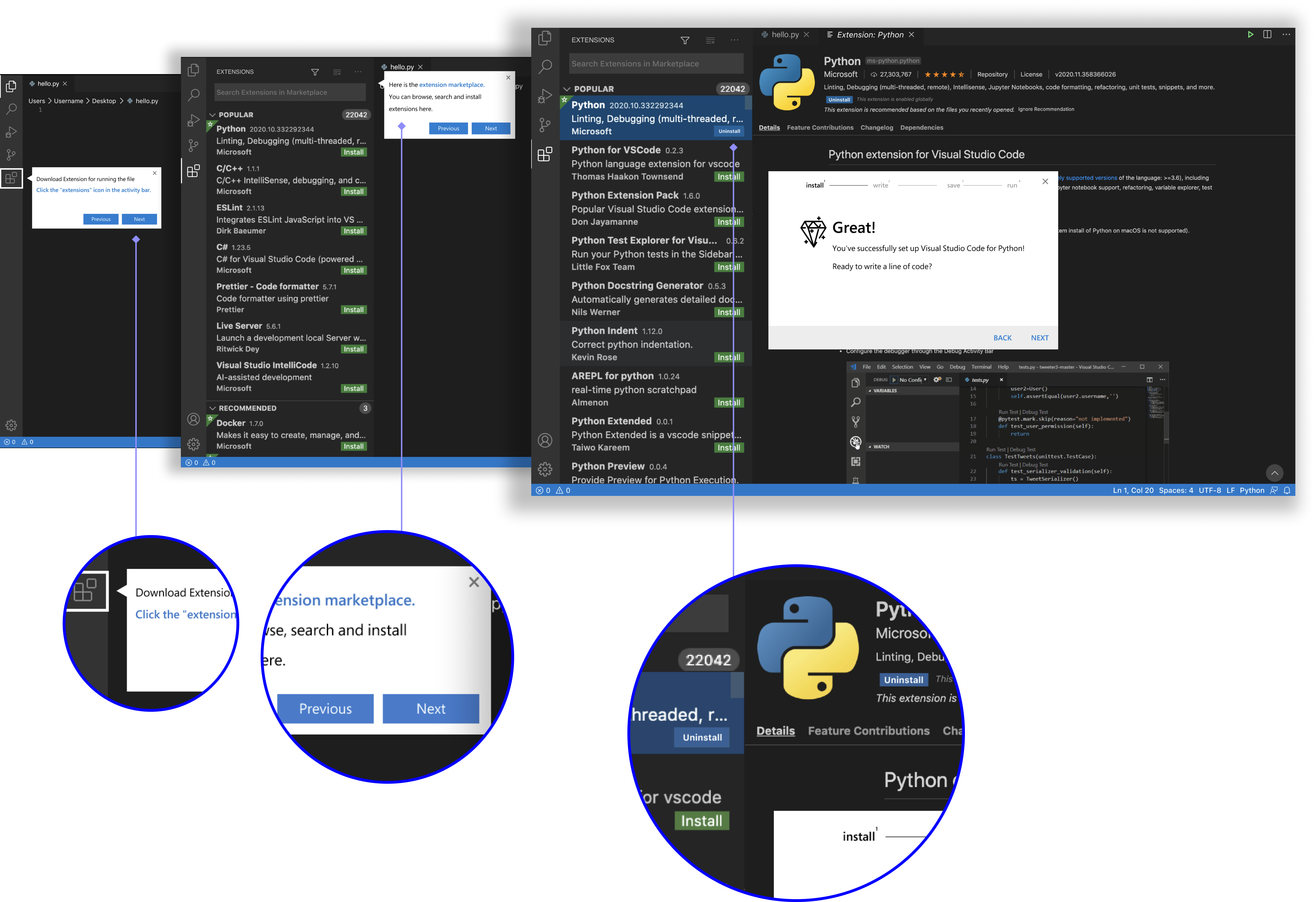
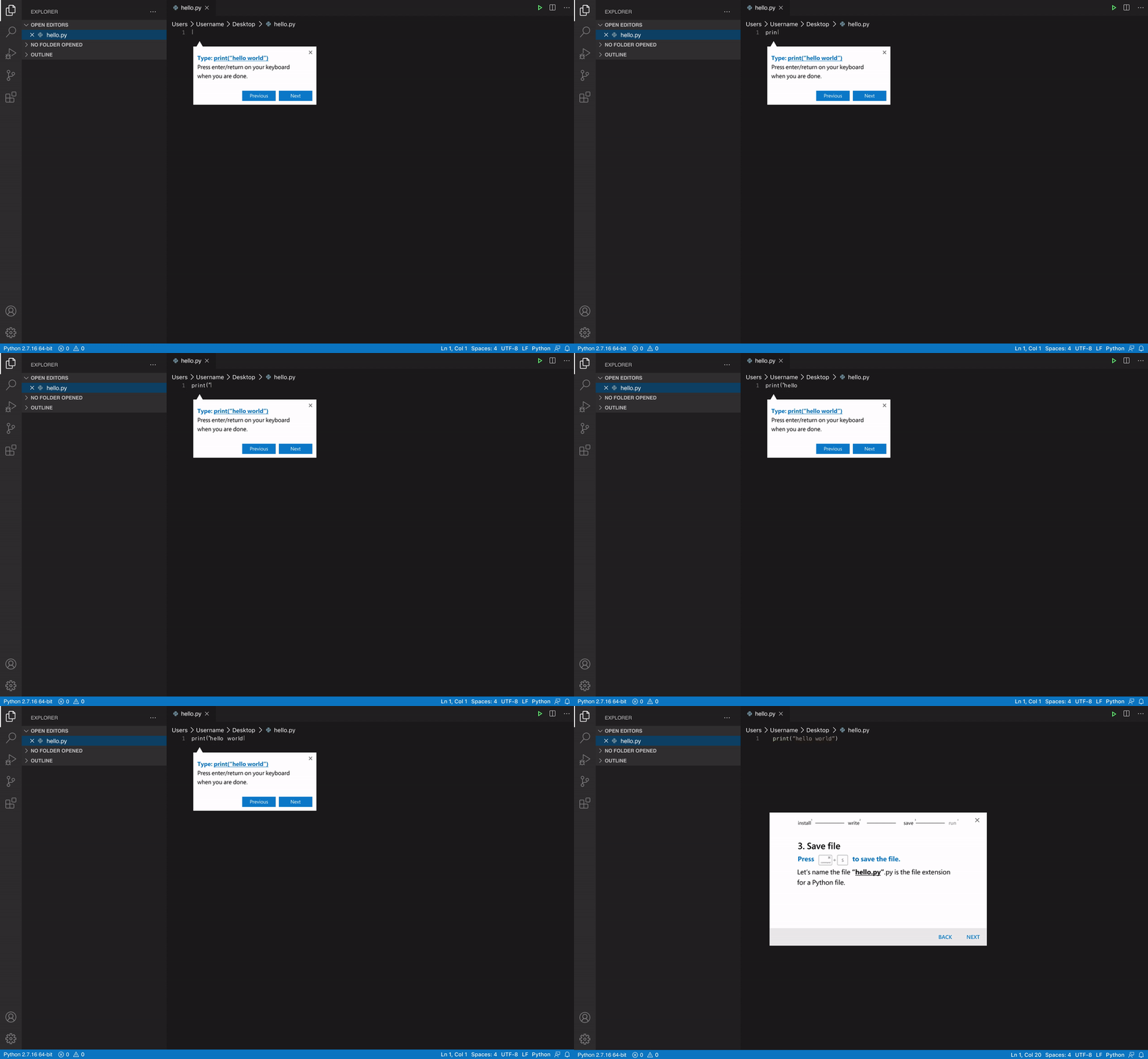


Why is "Learn by doing" onboarding so Important?
1. Shorten users’ time to familiarize the program to value the product
2. Learn by self-taught at their own pace
3. Offer an immersive onboarding experience to motivate users learn the program
rather than read through heavy text.